> ## Documentation Index
> Fetch the complete documentation index at: https://docs.trykura.com/llms.txt
> Use this file to discover all available pages before exploring further.
# Inputs
> How to provide and handle input data for your agents
Agent inputs are the initial data provided to your agent when executing. They define the parameters and data that your agent will be provided with during execution.
## Defining Inputs
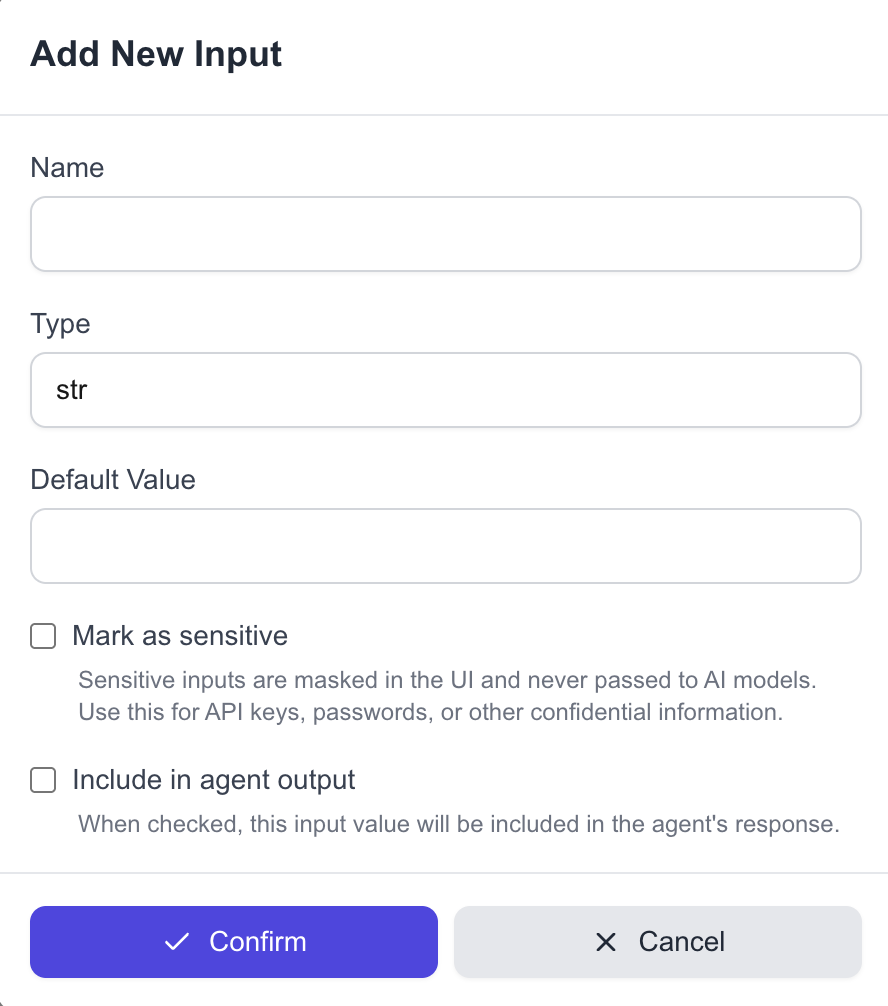
Inputs are defined in the Agent Builder under the "Inputs" section.
 Each input requires:
* A name
* A type (string, number, boolean, or json)
* A default value used when testing in the Builder
## Input Types
The following input types are supported:
* `string`: Text values
* `number`: Numeric values
* `boolean`: True/false values
* `json`: Complex objects and arrays
* `totp`: Time-based One-Time Password secrets
Each input requires:
* A name
* A type (string, number, boolean, or json)
* A default value used when testing in the Builder
## Input Types
The following input types are supported:
* `string`: Text values
* `number`: Numeric values
* `boolean`: True/false values
* `json`: Complex objects and arrays
* `totp`: Time-based One-Time Password secrets
 ## Sensitive Inputs
We also support sensitive inputs, such as passwords or API keys. These inputs are:
* Masked in the UI
* Never passed to LLMs
* Securely handled throughout the agent execution process
To mark an input as sensitive, select the "Mark as sensitive" checkbox when creating or editing an input.
### TOTP Authentication for Multi-Factor Authentication (MFA)
The `totp` input type is a special sensitive input that takes a TOTP (Time-based One-Time Password) secret and automatically generates the corresponding 6-digit code for use in multi-factor authentication flows. This allows your agents to securely authenticate with services that use authenticator apps for MFA without manually generating codes.
When you provide a TOTP secret as input, the system will:
1. Generate the current valid 6-digit code
2. Make this code available to your agent
3. Never expose the original TOTP secret to the LLM
## Example
Let's say I'm building an agent that types search queries into a search engine. In this case, I'll want my agent to take the search query as an input.
## Sensitive Inputs
We also support sensitive inputs, such as passwords or API keys. These inputs are:
* Masked in the UI
* Never passed to LLMs
* Securely handled throughout the agent execution process
To mark an input as sensitive, select the "Mark as sensitive" checkbox when creating or editing an input.
### TOTP Authentication for Multi-Factor Authentication (MFA)
The `totp` input type is a special sensitive input that takes a TOTP (Time-based One-Time Password) secret and automatically generates the corresponding 6-digit code for use in multi-factor authentication flows. This allows your agents to securely authenticate with services that use authenticator apps for MFA without manually generating codes.
When you provide a TOTP secret as input, the system will:
1. Generate the current valid 6-digit code
2. Make this code available to your agent
3. Never expose the original TOTP secret to the LLM
## Example
Let's say I'm building an agent that types search queries into a search engine. In this case, I'll want my agent to take the search query as an input.
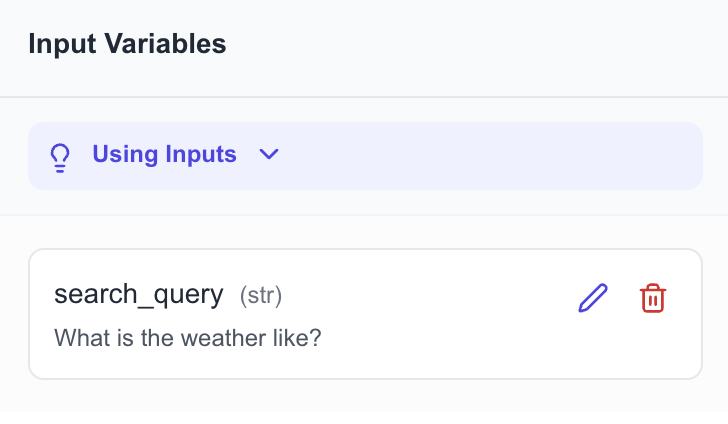 Here I've set up a parameter called `search_query` that is a string. When I run my agent in my builder, the value of `search_query` will be `What is the weather like?`.
When I run my agent via API, I'll need to provide the actual input value the agent will use to type into the search engine.
```json theme={null}
curl -X POST https://backend.trykura.com/run_agent \
-H "Content-Type: application/json" \
-d '{
"agent_id": "37eef9ddf627494488cad015967b842a",
"parameters": {
"search_query": "Who won the last Copa America?"
},
"api_key": "YOUR_API_KEY"
}'
```
Here I've set up a parameter called `search_query` that is a string. When I run my agent in my builder, the value of `search_query` will be `What is the weather like?`.
When I run my agent via API, I'll need to provide the actual input value the agent will use to type into the search engine.
```json theme={null}
curl -X POST https://backend.trykura.com/run_agent \
-H "Content-Type: application/json" \
-d '{
"agent_id": "37eef9ddf627494488cad015967b842a",
"parameters": {
"search_query": "Who won the last Copa America?"
},
"api_key": "YOUR_API_KEY"
}'
```