> ## Documentation Index
> Fetch the complete documentation index at: https://docs.trykura.com/llms.txt
> Use this file to discover all available pages before exploring further.
# Variables
> Managing data during agent execution
Variables allow you to store and use data that your agent extracts through the execution of the agent.
## Variable Operations
### Creating Variables
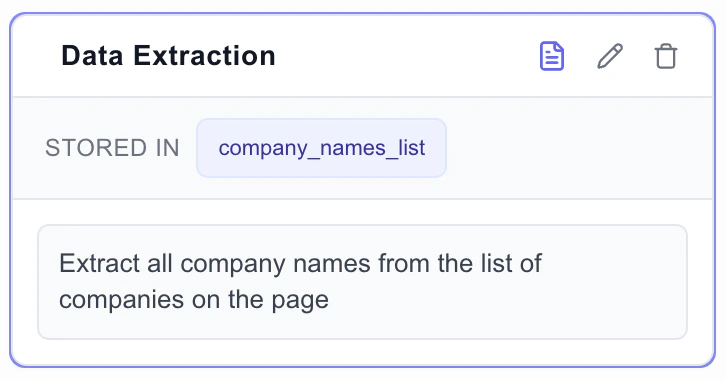
Variables are automatically populated when creating [extraction blocks](/workflow-blocks/extraction) through the [Recursion Agent](/recursion-agent/using-recursion-agent) or executing existing extraction blocks.
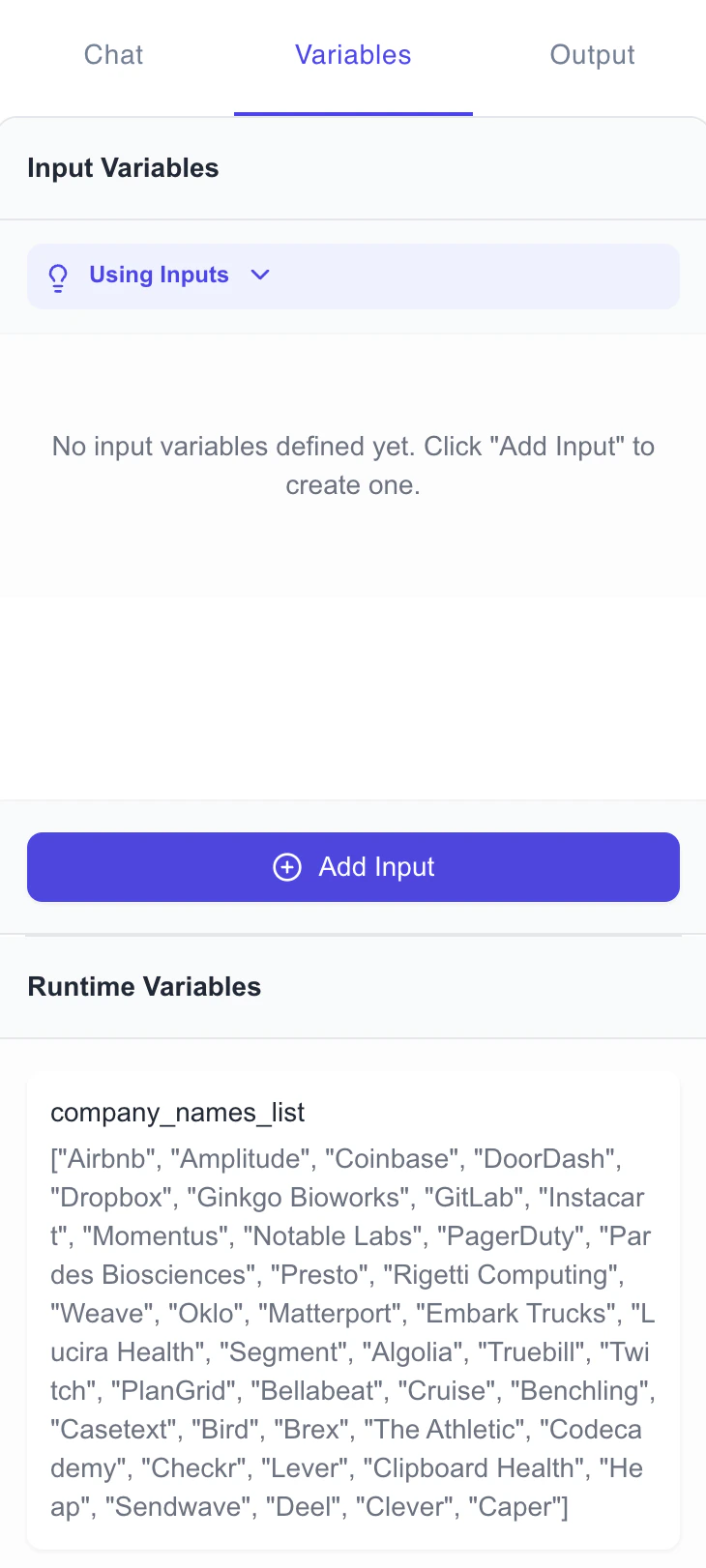
 Populated variables are added into the Variables tab in the Builder after execution.
 ### Referencing Variables
Variables can be referenced to the AI Assistant or directly in prompts using `{variable_name}` syntax.
Note, however that that workflow blocks can only reference variables populated by extraction blocks that are executed prior to the workflow block.
#### Referencing Variables in For Loop Blocks
### Referencing Variables
Variables can be referenced to the AI Assistant or directly in prompts using `{variable_name}` syntax.
Note, however that that workflow blocks can only reference variables populated by extraction blocks that are executed prior to the workflow block.
#### Referencing Variables in For Loop Blocks
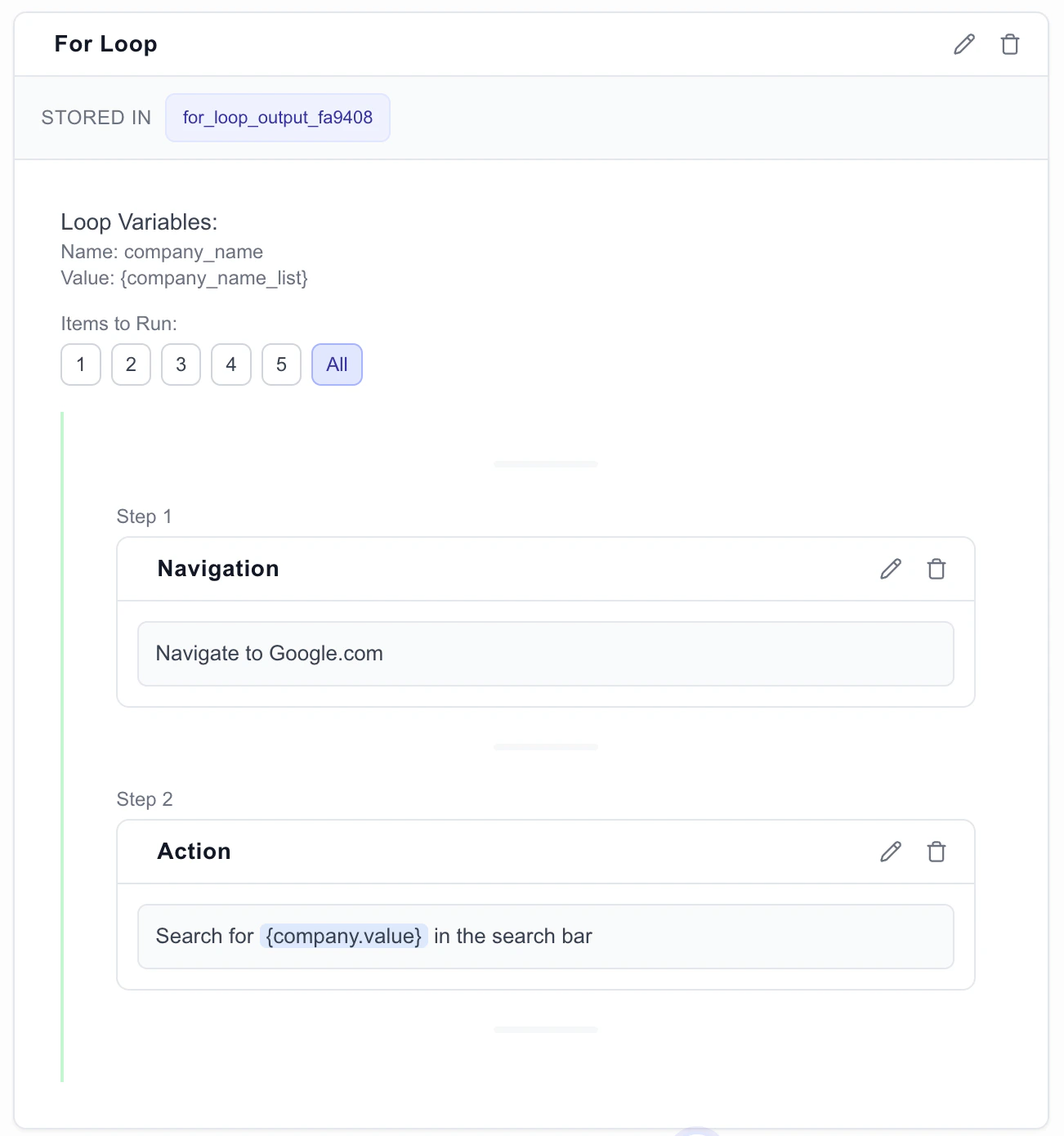 During iteration, use the variable name assigned to the name field in the for loop block to reference the current item in the loop.
* `{item.value}` represents the current item's value
* `{item.key}` represents either:
* The object property name when iterating over an object
* The numeric index (0, 1, 2, etc.) when iterating over an array
When these references are used, they will be automatically resolved to their current values during agent execution.
During iteration, use the variable name assigned to the name field in the for loop block to reference the current item in the loop.
* `{item.value}` represents the current item's value
* `{item.key}` represents either:
* The object property name when iterating over an object
* The numeric index (0, 1, 2, etc.) when iterating over an array
When these references are used, they will be automatically resolved to their current values during agent execution.